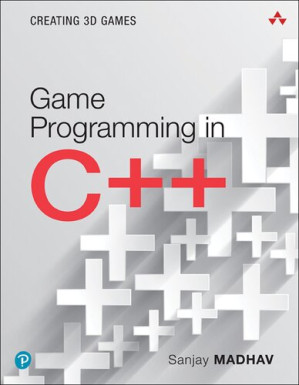
Game Programming in C++: Creating 3D Games: Creating 3D Games (Game Design) 🔍
Sanjay Madhav
Addison-Wesley Professional, 1, PT, 2018
英语 [en] · PDF · 12.2MB · 2018 · 📘 非小说类图书 · 🚀/lgli/lgrs/nexusstc/upload/zlib · Save
描述
Program 3D Games in C++: The #1 Language at Top Game Studios Worldwide
C++ remains the key language at many leading game development studios. Since it’s used throughout their enormous code bases, studios use it to maintain and improve their games, and look for it constantly when hiring new developers. Game Programming in C++ is a practical, hands-on approach to programming 3D video games in C++. Modeled on Sanjay Madhav’s game programming courses at USC, it’s fun, easy, practical, hands-on, and complete.
Step by step, you’ll learn to use C++ in all facets of real-world game programming, including 2D and 3D graphics, physics, AI, audio, user interfaces, and much more. You’ll hone real-world skills through practical exercises, and deepen your expertise through start-to-finish projects that grow in complexity as you build your skills. Throughout, Madhav pays special attention to demystifying the math that all professional game developers need to know.
Set up your C++ development tools quickly, and get started Implement basic 2D graphics, game updates, vectors, and game physics Build more intelligent games with widely used AI algorithms Implement 3D graphics with OpenGL, shaders, matrices, and transformations Integrate and mix audio, including 3D positional audio Detect collisions of objects in a 3D environment Efficiently respond to player input Build user interfaces, including Head-Up Displays (HUDs) Improve graphics quality with anisotropic filtering and deferred shading Load and save levels and binary game data
Whether you’re a working developer or a student with prior knowledge of C++ and data structures, Game Programming in C++ will prepare you to solve real problems with C++ in roles throughout the game development lifecycle. You’ll master the language that top studios are hiring for—and that’s a proven route to success.
C++ remains the key language at many leading game development studios. Since it’s used throughout their enormous code bases, studios use it to maintain and improve their games, and look for it constantly when hiring new developers. Game Programming in C++ is a practical, hands-on approach to programming 3D video games in C++. Modeled on Sanjay Madhav’s game programming courses at USC, it’s fun, easy, practical, hands-on, and complete.
Step by step, you’ll learn to use C++ in all facets of real-world game programming, including 2D and 3D graphics, physics, AI, audio, user interfaces, and much more. You’ll hone real-world skills through practical exercises, and deepen your expertise through start-to-finish projects that grow in complexity as you build your skills. Throughout, Madhav pays special attention to demystifying the math that all professional game developers need to know.
Set up your C++ development tools quickly, and get started Implement basic 2D graphics, game updates, vectors, and game physics Build more intelligent games with widely used AI algorithms Implement 3D graphics with OpenGL, shaders, matrices, and transformations Integrate and mix audio, including 3D positional audio Detect collisions of objects in a 3D environment Efficiently respond to player input Build user interfaces, including Head-Up Displays (HUDs) Improve graphics quality with anisotropic filtering and deferred shading Load and save levels and binary game data
Whether you’re a working developer or a student with prior knowledge of C++ and data structures, Game Programming in C++ will prepare you to solve real problems with C++ in roles throughout the game development lifecycle. You’ll master the language that top studios are hiring for—and that’s a proven route to success.
备用文件名
nexusstc/Game Programming in C++: Creating 3D Games: Creating 3D Games/b94cd774c076c16a34289fcacc1eb674.pdf
备用文件名
lgrsnf/9780134597201.Addison-Wesley.Game_Programming_in_C____Creating_3D_Games.Sanjay_Madhav.Feb.2018.pdf
备用文件名
zlib/Computers/Programming/Sanjay Madhav/Game Programming in C++: Creating 3D Games: Creating 3D Games_11730405.pdf
备选标题
Game Programming In C++: Creating 3d Games Game Programming In C Plus Plus
备选作者
Madhav, Sanjay (author.)
备用出版商
Globe Fearon Educational Publishing
备用出版商
Longman Publishing
备用出版商
Cengage Gale
备用版本
Addison-Wesley game design and development series, Boston, 2018
备用版本
United States, United States of America
备用版本
Pearson Education (US), Boston, 2018
备用版本
Apr 07, 2018
元数据中的注释
lg2953081
元数据中的注释
producers:
Acrobat Distiller 10.1.1 (Macintosh); modified using iText® 5.5.6 ©2000-2015 iText Group NV (AGPL-version)
Acrobat Distiller 10.1.1 (Macintosh); modified using iText® 5.5.6 ©2000-2015 iText Group NV (AGPL-version)
元数据中的注释
{"edition":"1°","isbns":["0134597206","9780134597201"],"last_page":526,"publisher":"Addison-Wesley Professional"}
备用描述
Cover
Half Title
Title Page
Copyright Page
Dedication
Contents
Preface
Acknowledgments
About the Author
1 Game Programming Overview
Setting Up a Development Environment
Microsoft Windows
Apple macOS
Getting This Book’s Source Code
Beyond the C++ Standard Library
The Game Loop and Game Class
Anatomy of a Frame
Implementing a Skeleton Game Class
Main Function
Basic Input Processing
Basic 2D Graphics
The Color Buffer
Double Buffering
Implementing Basic 2D Graphics
Drawing Walls, a Ball, and a Paddle
Updating the Game
Real Time and Game Time
Logic as a Function of Delta Time
Updating the Paddle’s Position
Updating the Ball’s Position
Game Project
Summary
Additional Reading
Exercises
Exercise 1.1
Exercise 1.2
2 Game Objects and 2D Graphics
Game Objects
Types of Game Objects
Game Object Models
Integrating Game Objects into the Game Loop
Sprites
Loading Image Files
Drawing Sprites
Animating Sprites
Scrolling Backgrounds
Game Project
Summary
Additional Reading
Exercises
Exercise 2.1
Exercise 2.2
Exercise 2.3
3 Vectors and Basic Physics
Vectors
Getting a Vector between Two Points: Subtraction
Scaling a Vector: Scalar Multiplication
Combining Two Vectors: Addition
Determining a Distance: Length
Determining Directions: Unit Vectors and Normalization
Converting from an Angle to a Forward Vector
Converting a Forward Vector to an Angle: Arctangent
Determining the Angle between Two Vectors: Dot Product
Calculating a Normal: Cross Product
Basic Movement
Creating a Basic MoveComponent Class
Creating an InputComponent Class
Newtonian Physics
Linear Mechanics Overview
Computing Positions with Euler Integration
Issues with Variable Time Steps
Basic Collision Detection
Circle-Versus-Circle Intersection
Creating a CircleComponent Subclass
Game Project
Summary
Additional Reading
Exercises
Exercise 3.1
Exercise 3.2
Exercise 3.3
4 Artificial Intelligence
State Machine Behaviors
Designing a State Machine
Basic State Machine Implementation
States as Classes
Pathfinding
Graphs
Breadth-First Search
Heuristics
Greedy Best-First Search
A* Search
Dijkstra’s Algorithm
Following a Path
Other Graph Representations
Game Trees
Minimax
Handling Incomplete Game Trees
Alpha-Beta Pruning
Game Project
Summary
Additional Reading
Exercises
Exercise 4.1
Exercise 4.2
5 OpenGL
Initializing OpenGL
Setting Up the OpenGL Window
The OpenGL Context and Initializing GLEW
Rendering a Frame
Triangle Basics
Why Polygons?
Normalized Device Coordinates
Vertex and Index Buffers
Shaders
Vertex Shaders
Fragment Shaders
Writing Basic Shaders
Loading Shaders
Drawing Triangles
Transformation Basics
Object Space
World Space
Transforming to World Space
Matrices and Transformations
Matrix Multiplication
Transforming a Point by Using a Matrix
Transforming to World Space, Revisited
Adding World Transforms to Actor
Transforming from World Space to Clip Space
Updating Shaders to Use Transform Matrices
Texture Mapping
Loading the Texture
Updating the Vertex Format
Updating the Shaders
Alpha Blending
Game Project
Summary
Additional Reading
Exercises
Exercise 5.1
Exercise 5.2
6 3D Graphics
The Actor Transform in 3D
Transform Matrices for 3D
Euler Angles
Quaternions
New Actor Transform in Action
Loading 3D Models
Choosing a Model Format
Updating the Vertex Attributes
Loading a gpmesh File
Drawing 3D Meshes
Transforming to Clip Space, Revisited
Out with the Painter’s Algorithm, in with Z-Buffering
The BasicMesh Shader
The MeshComponent Class
Lighting
Revisiting Vertex Attributes
Types of Lights
Phong Reflection Model
Implementing Lighting
Game Project
Summary
Additional Reading
Exercises
Exercise 6.1
Exercise 6.2
7 Audio
Bootstrapping Audio
FMOD
Installing FMOD
Creating an Audio System
Banks and Events
The SoundEvent Class
3D Positional Audio
Setting Up a Basic Listener
Adding Positional Functionality to SoundEvent
Creating an AudioComponent to Associate Actors with Sound Events
The Listener in a Third-Person Game
The Doppler Effect
Mixing and Effects
Buses
Snapshots
Occlusion
Game Project
Summary
Additional Reading
Exercises
Exercise 7.1
Exercise 7.2
8 Input Systems
Input Devices
Polling
Positive and Negative Edges
Events
Basic InputSystem Architecture
Keyboard Input
Mouse Input
Buttons and Position
Relative Motion
Scroll Wheel
Controller Input
Enabling a Single Controller
Buttons
Analog Sticks and Triggers
Filtering Analog Sticks in Two Dimensions
Supporting Multiple Controllers
Input Mappings
Game Project
Summary
Additional Reading
Exercises
Exercise 8.1
Exercise 8.2
9 Cameras
First-Person Camera
Basic First-Person Movement
Camera (Without Pitch)
Adding Pitch
First-Person Model
Follow Camera
Basic Follow Camera
Adding a Spring
Orbit Camera
Spline Camera
Unprojection
Game Project
Summary
Additional Reading
Exercises
Exercise 9.1
Exercise 9.2
10 Collision Detection
Geometric Types
Line Segments
Planes
Bounding Volumes
Intersection Tests
Contains Point Tests
Bounding Volume Tests
Line Segment Tests
Dynamic Objects
Adding Collisions to Game Code
The BoxComponent Class
The PhysWorld Class
Ball Collisions with SegmentCast
Testing Box Collisions in PhysWorld
Player Collision Against the Walls
Game Project
Summary
Additional Reading
Exercises
Exercise 10.1
Exercise 10.2
Exercise 10.3
11 User Interfaces
Font Rendering
UI Screens
The UI Screen Stack
The Pause Menu
Buttons
Dialog Boxes
HUD Elements
Adding an Aiming Reticule
Adding Radar
Localization
Working with Unicode
Adding a Text Map
Other Localization Concerns
Supporting Multiple Resolutions
Game Project
Summary
Additional Reading
Exercises
Exercise 11.1
Exercise 11.2
Exercise 11.3
12 Skeletal Animation
Foundations of Skeletal Animation
Skeletons and Poses
The Inverse Bind Pose Matrix
Animation Data
Skinning
Implementing Skeletal Animation
Drawing with Skinning Vertex Attributes
Loading a Skeleton
Loading the Animation Data
The Skinning Vertex Shader
Updating Animations
Game Project
Summary
Additional Reading
Exercises
Exercise 12.1
Exercise 12.2
13 Intermediate Graphics
Improving Texture Quality
Texture Sampling, Revisited
Mipmapping
Anisotropic Filtering
Rendering to Textures
Creating the Texture
Creating a Framebuffer Object
Rendering to a Framebuffer Object
Drawing the Mirror Texture in the HUD
Deferred Shading
Creating a G-Buffer Class
Writing to the G-buffer
Global Lighting
Adding Point Lights
Improvements and Issues
Game Project
Summary
Additional Reading
Exercises
Exercise 13.1
Exercise 13.2
14 Level Files and Binary Data
Level File Loading
Loading Global Properties
Loading Actors
Loading Components
Saving Level Files
Saving Global Properties
Saving Actors and Components
Binary Data
Saving a Binary Mesh File
Loading a Binary Mesh File
Game Project
Summary
Additional Reading
Exercises
Exercise 14.1
Exercise 14.2
A: Intermediate C++ Review
Index
A
B
C
D
E
F
G
H
I
J
K
L
M
N
O
P
Q
R
S
T
U
V
W
X
Y
Z
Half Title
Title Page
Copyright Page
Dedication
Contents
Preface
Acknowledgments
About the Author
1 Game Programming Overview
Setting Up a Development Environment
Microsoft Windows
Apple macOS
Getting This Book’s Source Code
Beyond the C++ Standard Library
The Game Loop and Game Class
Anatomy of a Frame
Implementing a Skeleton Game Class
Main Function
Basic Input Processing
Basic 2D Graphics
The Color Buffer
Double Buffering
Implementing Basic 2D Graphics
Drawing Walls, a Ball, and a Paddle
Updating the Game
Real Time and Game Time
Logic as a Function of Delta Time
Updating the Paddle’s Position
Updating the Ball’s Position
Game Project
Summary
Additional Reading
Exercises
Exercise 1.1
Exercise 1.2
2 Game Objects and 2D Graphics
Game Objects
Types of Game Objects
Game Object Models
Integrating Game Objects into the Game Loop
Sprites
Loading Image Files
Drawing Sprites
Animating Sprites
Scrolling Backgrounds
Game Project
Summary
Additional Reading
Exercises
Exercise 2.1
Exercise 2.2
Exercise 2.3
3 Vectors and Basic Physics
Vectors
Getting a Vector between Two Points: Subtraction
Scaling a Vector: Scalar Multiplication
Combining Two Vectors: Addition
Determining a Distance: Length
Determining Directions: Unit Vectors and Normalization
Converting from an Angle to a Forward Vector
Converting a Forward Vector to an Angle: Arctangent
Determining the Angle between Two Vectors: Dot Product
Calculating a Normal: Cross Product
Basic Movement
Creating a Basic MoveComponent Class
Creating an InputComponent Class
Newtonian Physics
Linear Mechanics Overview
Computing Positions with Euler Integration
Issues with Variable Time Steps
Basic Collision Detection
Circle-Versus-Circle Intersection
Creating a CircleComponent Subclass
Game Project
Summary
Additional Reading
Exercises
Exercise 3.1
Exercise 3.2
Exercise 3.3
4 Artificial Intelligence
State Machine Behaviors
Designing a State Machine
Basic State Machine Implementation
States as Classes
Pathfinding
Graphs
Breadth-First Search
Heuristics
Greedy Best-First Search
A* Search
Dijkstra’s Algorithm
Following a Path
Other Graph Representations
Game Trees
Minimax
Handling Incomplete Game Trees
Alpha-Beta Pruning
Game Project
Summary
Additional Reading
Exercises
Exercise 4.1
Exercise 4.2
5 OpenGL
Initializing OpenGL
Setting Up the OpenGL Window
The OpenGL Context and Initializing GLEW
Rendering a Frame
Triangle Basics
Why Polygons?
Normalized Device Coordinates
Vertex and Index Buffers
Shaders
Vertex Shaders
Fragment Shaders
Writing Basic Shaders
Loading Shaders
Drawing Triangles
Transformation Basics
Object Space
World Space
Transforming to World Space
Matrices and Transformations
Matrix Multiplication
Transforming a Point by Using a Matrix
Transforming to World Space, Revisited
Adding World Transforms to Actor
Transforming from World Space to Clip Space
Updating Shaders to Use Transform Matrices
Texture Mapping
Loading the Texture
Updating the Vertex Format
Updating the Shaders
Alpha Blending
Game Project
Summary
Additional Reading
Exercises
Exercise 5.1
Exercise 5.2
6 3D Graphics
The Actor Transform in 3D
Transform Matrices for 3D
Euler Angles
Quaternions
New Actor Transform in Action
Loading 3D Models
Choosing a Model Format
Updating the Vertex Attributes
Loading a gpmesh File
Drawing 3D Meshes
Transforming to Clip Space, Revisited
Out with the Painter’s Algorithm, in with Z-Buffering
The BasicMesh Shader
The MeshComponent Class
Lighting
Revisiting Vertex Attributes
Types of Lights
Phong Reflection Model
Implementing Lighting
Game Project
Summary
Additional Reading
Exercises
Exercise 6.1
Exercise 6.2
7 Audio
Bootstrapping Audio
FMOD
Installing FMOD
Creating an Audio System
Banks and Events
The SoundEvent Class
3D Positional Audio
Setting Up a Basic Listener
Adding Positional Functionality to SoundEvent
Creating an AudioComponent to Associate Actors with Sound Events
The Listener in a Third-Person Game
The Doppler Effect
Mixing and Effects
Buses
Snapshots
Occlusion
Game Project
Summary
Additional Reading
Exercises
Exercise 7.1
Exercise 7.2
8 Input Systems
Input Devices
Polling
Positive and Negative Edges
Events
Basic InputSystem Architecture
Keyboard Input
Mouse Input
Buttons and Position
Relative Motion
Scroll Wheel
Controller Input
Enabling a Single Controller
Buttons
Analog Sticks and Triggers
Filtering Analog Sticks in Two Dimensions
Supporting Multiple Controllers
Input Mappings
Game Project
Summary
Additional Reading
Exercises
Exercise 8.1
Exercise 8.2
9 Cameras
First-Person Camera
Basic First-Person Movement
Camera (Without Pitch)
Adding Pitch
First-Person Model
Follow Camera
Basic Follow Camera
Adding a Spring
Orbit Camera
Spline Camera
Unprojection
Game Project
Summary
Additional Reading
Exercises
Exercise 9.1
Exercise 9.2
10 Collision Detection
Geometric Types
Line Segments
Planes
Bounding Volumes
Intersection Tests
Contains Point Tests
Bounding Volume Tests
Line Segment Tests
Dynamic Objects
Adding Collisions to Game Code
The BoxComponent Class
The PhysWorld Class
Ball Collisions with SegmentCast
Testing Box Collisions in PhysWorld
Player Collision Against the Walls
Game Project
Summary
Additional Reading
Exercises
Exercise 10.1
Exercise 10.2
Exercise 10.3
11 User Interfaces
Font Rendering
UI Screens
The UI Screen Stack
The Pause Menu
Buttons
Dialog Boxes
HUD Elements
Adding an Aiming Reticule
Adding Radar
Localization
Working with Unicode
Adding a Text Map
Other Localization Concerns
Supporting Multiple Resolutions
Game Project
Summary
Additional Reading
Exercises
Exercise 11.1
Exercise 11.2
Exercise 11.3
12 Skeletal Animation
Foundations of Skeletal Animation
Skeletons and Poses
The Inverse Bind Pose Matrix
Animation Data
Skinning
Implementing Skeletal Animation
Drawing with Skinning Vertex Attributes
Loading a Skeleton
Loading the Animation Data
The Skinning Vertex Shader
Updating Animations
Game Project
Summary
Additional Reading
Exercises
Exercise 12.1
Exercise 12.2
13 Intermediate Graphics
Improving Texture Quality
Texture Sampling, Revisited
Mipmapping
Anisotropic Filtering
Rendering to Textures
Creating the Texture
Creating a Framebuffer Object
Rendering to a Framebuffer Object
Drawing the Mirror Texture in the HUD
Deferred Shading
Creating a G-Buffer Class
Writing to the G-buffer
Global Lighting
Adding Point Lights
Improvements and Issues
Game Project
Summary
Additional Reading
Exercises
Exercise 13.1
Exercise 13.2
14 Level Files and Binary Data
Level File Loading
Loading Global Properties
Loading Actors
Loading Components
Saving Level Files
Saving Global Properties
Saving Actors and Components
Binary Data
Saving a Binary Mesh File
Loading a Binary Mesh File
Game Project
Summary
Additional Reading
Exercises
Exercise 14.1
Exercise 14.2
A: Intermediate C++ Review
Index
A
B
C
D
E
F
G
H
I
J
K
L
M
N
O
P
Q
R
S
T
U
V
W
X
Y
Z
备用描述
"The #1 Language at Top Game Studios Worldwide. C++ remains the key language at many leading game development studios. Since it's used throughout their enormous code bases, studios use it to maintain and improve their games, and look for it constantly when hiring new developers. Game Programming in C++ is a practical, hands-on approach to programming 3D video games in C++. Modeled on Sanjay Madhav's game programming courses at USC, it's fun, easy, practical, hands-on, and complete. Step by step, you'll learn to use C++ in all facets of real-world game programming, including 2D and 3D graphics, physics, AI, audio, user interfaces, and much more. You'll hone real-world skills through practical exercises, and deepen your expertise through start-to-finish projects that grow in complexity as you build your skills. Throughout, Madhav pays special attention to demystifying the math that all professional game developers need to know. Set up your C++ development tools quickly, and get started Implement basic 2D graphics, game updates, vectors, and game physics Build more intelligent games with widely used AI algorithms Implement 3D graphics with OpenGL, shaders, matrices, and transformations Integrate and mix audio, including 3D positional audio Detect collisions of objects in a 3D environment Efficiently respond to player input Build user interfaces, including Head-Up Displays (HUDs) Improve graphics quality with anisotropic filtering and deferred shading Load and save levels and binary game data Whether you're a working developer or a student with prior knowledge of C++ and data structures, Game Programming in C++ will prepare you to solve real problems with C++ in roles throughout the game development lifecycle. You'll master the language that top studios are hiring for-and that's a proven route to success."--Page 4 de la couverture
备用描述
"The #1 Language at Top Game Studios Worldwide C++ remains the key language at many leading game development studios. Since it's used throughout their enormous code bases, studios use it to maintain and improve their games, and look for it constantly when hiring new developers. Game Programming in C++ is a practical, hands-on approach to programming 3D video games in C++. Modeled on Sanjay Madhav's game programming courses at USC, it's fun, easy, practical, hands-on, and complete. Step by step, you'll learn to use C++ in all facets of real-world game programming, including 2D and 3D graphics, physics, AI, audio, user interfaces, and much more. You'll hone real-world skills through practical exercises, and deepen your expertise through start-to-finish projects that grow in complexity as you build your skills. Throughout, Madhav pays special attention to demystifying the math that all professional game developers need to know. Set up your C++ development tools quickly, and get started Implement basic 2D graphics, game updates, vectors, and game physics Build more intelligent games with widely used AI algorithms Implement 3D graphics with OpenGL, shaders, matrices, and transformations Integrate and mix audio, including 3D positional audio Detect collisions of objects in a 3D environment Efficiently respond to player input Build user interfaces, including Head-Up Displays (HUDs) Improve graphics quality with anisotropic filtering and deferred shading Load and save levels and binary game data Whether you're a working developer or a student with prior knowledge of C++ and data structures, Game Programming in C++ will prepare you to solve real problems with C++ in roles throughout the game development lifecycle. You'll master the language that top studios are hiring for-and that's a proven route to success."--ONIX annotation
备用描述
You can program games in many languages, but C++ remains the key language used by many leading development studios. Since it's the language used in their enormous code bases, it's the language they need to maintain and improve their games, and look for most often when hiring new developers. Game Programming in C++ is today's practical, hands-on approach to programming 3D video games in C++. Drawing on the author's pioneering experience teaching game development at USC, it guides you through all key concepts hands-on, and helps you deepen your expertise through several start-to-finish, in-depth game projects. Author Sanjay Madhav introduces core concepts one at a time, in an easy-to-digest fashion, paying special attention to the math that professional game developers need to know. Step by step, you'll become increasingly comfortable with real-world C++ game development, and learn how to use C++ in all facets of game programming, including graphics, physics, AI, audio, camera systems, animations, and more
开源日期
2021-02-27
🚀 快速下载
成为会员以支持书籍、论文等的长期保存。为了感谢您对我们的支持,您将获得高速下载权益。❤️
🐢 低速下载
由可信的合作方提供。 更多信息请参见常见问题解答。 (可能需要验证浏览器——无限次下载!)
- 低速服务器(合作方提供) #1 (稍快但需要排队)
- 低速服务器(合作方提供) #2 (稍快但需要排队)
- 低速服务器(合作方提供) #3 (稍快但需要排队)
- 低速服务器(合作方提供) #4 (稍快但需要排队)
- 低速服务器(合作方提供) #5 (无需排队,但可能非常慢)
- 低速服务器(合作方提供) #6 (无需排队,但可能非常慢)
- 低速服务器(合作方提供) #7 (无需排队,但可能非常慢)
- 低速服务器(合作方提供) #8 (无需排队,但可能非常慢)
- 低速服务器(合作方提供) #9 (无需排队,但可能非常慢)
- 下载后: 在我们的查看器中打开
所有选项下载的文件都相同,应该可以安全使用。即使这样,从互联网下载文件时始终要小心。例如,确保您的设备更新及时。
外部下载
-
对于大文件,我们建议使用下载管理器以防止中断。
推荐的下载管理器:JDownloader -
您将需要一个电子书或 PDF 阅读器来打开文件,具体取决于文件格式。
推荐的电子书阅读器:Anna的档案在线查看器、ReadEra和Calibre -
使用在线工具进行格式转换。
推荐的转换工具:CloudConvert和PrintFriendly -
您可以将 PDF 和 EPUB 文件发送到您的 Kindle 或 Kobo 电子阅读器。
推荐的工具:亚马逊的“发送到 Kindle”和djazz 的“发送到 Kobo/Kindle” -
支持作者和图书馆
✍️ 如果您喜欢这个并且能够负担得起,请考虑购买原版,或直接支持作者。
📚 如果您当地的图书馆有这本书,请考虑在那里免费借阅。
下面的文字仅以英文继续。
总下载量:
“文件的MD5”是根据文件内容计算出的哈希值,并且基于该内容具有相当的唯一性。我们这里索引的所有影子图书馆都主要使用MD5来标识文件。
一个文件可能会出现在多个影子图书馆中。有关我们编译的各种数据集的信息,请参见数据集页面。
有关此文件的详细信息,请查看其JSON 文件。 Live/debug JSON version. Live/debug page.